
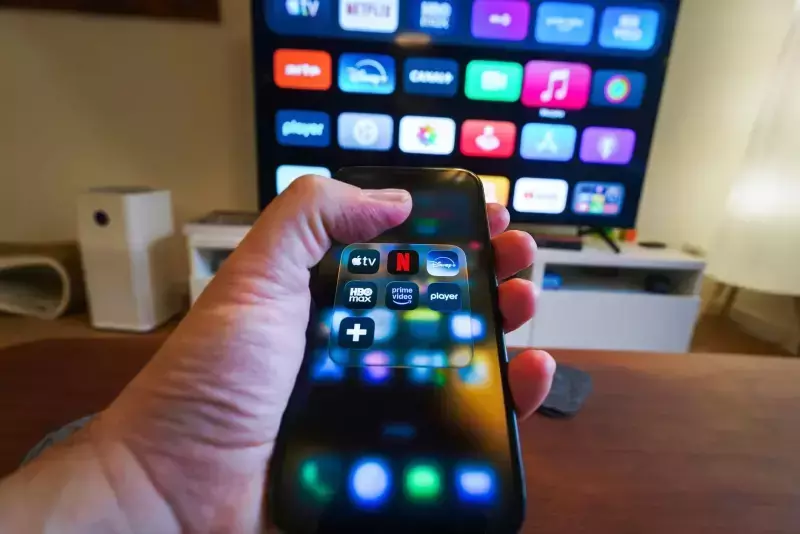
I remember a time, not so long ago, when accessing all my favorite shows meant either flipping through traditional cable channels or, if I was feeling particularly adventurous, navigating the early, somewhat clunky interfaces of individual streaming services. It felt like a constant digital scavenger hunt. Then came ‘the TV app’ – a product that, for me, really changed how I think about content consumption, particularly within the Apple ecosystem, though its reach has thankfully expanded.
When Apple first introduced the TV app, I was cautiously optimistic. The promise was alluring: a single, unified destination to discover, watch, and organize all my movies and TV shows, regardless of their source. Think about that for a second. We’re living in an era where streaming options are exploding, and that’s both a blessing and a curse. While choice is fantastic, the sheer number of apps and subscriptions can lead to what I affectionately call ‘streaming fatigue.’ You know the drill: opening Netflix, then Hulu, then Prime Video, all just to find that one show you heard about.
What Exactly is the TV App and Why Does it Matter?
At its core, the TV app isn't just another streaming service; it's designed to be an aggregator, a central nervous system for your digital entertainment. It’s a bit like having a universal remote for all your streaming platforms, only this remote actually shows you what’s playing across those platforms and lets you launch directly into the content.
For years, my digital library was fragmented. I had movies purchased from iTunes, some rented from Google Play, and a growing collection of subscriptions. The TV app brought most of this under one roof, making it incredibly convenient. It’s available across a surprisingly wide array of devices now too: Apple TV set-top boxes, iPhones, iPads, Macs, and even select smart TVs from Samsung, LG, Sony, and Roku devices. That expansion was a smart move, in my opinion, making it much more accessible than when it was strictly an Apple-only affair.
My Experience with the 'Watch Now' and 'Up Next' Features
One of the features I genuinely couldn’t live without now is the ‘Up Next’ queue. This isn’t just a simple watchlist; it’s dynamically updated with episodes from shows I’m currently watching, regardless of which integrated service they belong to. So, if I’m halfway through a series on Hulu and start another one on Max, both will appear in order, ready for me to pick up where I left off. It’s brilliant for managing my binge-watching habits, let me tell you.
“The TV app simplifies the complex world of streaming, providing a centralized hub that genuinely enhances the user experience by reducing friction in content discovery and continuation.”
I find myself using the ‘Watch Now’ section constantly too. It’s where the app tries to personalize recommendations based on my viewing history, not just from Apple TV+ but from other linked services as well. Sometimes it’s spot-on, introducing me to something I wouldn’t have found otherwise. Other times, it’s a miss, but that’s the nature of recommendation algorithms, isn’t it?
Integration and Its Limitations
The beauty of the TV app lies in its ability to integrate with various streaming services. For example, I’ve linked my subscriptions to Hulu, Max, Disney+, and even some cable provider apps. This means when I search for a show, the app tells me exactly which of my subscribed services offers it, or if it’s available for purchase. It saves me so much time trying to remember where a specific movie might be living.
However, it’s not a perfect world. There are still some notable holdouts. Netflix, for instance, remains conspicuously absent from the TV app's deep integration. This is a considerable omission, considering Netflix’s vast library. I often wish I could see my Netflix shows within my ‘Up Next’ queue, but I understand why they might choose to keep their content exclusive to their own platform for user retention. It does, however, mean I still have to jump out to the Netflix app occasionally, which slightly diminishes the app's 'all-in-one' promise.
The Role of Apple TV+
Of course, we can’t talk about the TV app without acknowledging its close relationship with Apple TV+. While the app is designed to be a universal viewer, it also serves as the primary gateway to Apple’s own original content. And frankly, they’ve produced some absolutely stunning shows. I’ve been thoroughly impressed with the quality and production values of series like Ted Lasso and Severance. The app prominently features Apple TV+ content, and sometimes it feels like a subtle nudge to subscribe, but it’s done in a way that’s generally unobtrusive, blending in with other recommendations.
Navigating the Library and Channels
Beyond integrating third-party services, the TV app is also home to my purchased content. This is incredibly useful. My digital movie and TV show library, accumulated over years, is neatly organized here. I can stream them, download them for offline viewing, and often access them in 4K HDR when available, which is a nice perk. I appreciate having everything I own digitally in one accessible place.
Then there are the ‘Channels.’ This feature allows you to subscribe directly to certain premium networks – like Starz or Paramount+ – directly through the TV app, often without needing to download their individual apps. It’s pretty convenient, as it centralizes billing and often provides a slightly cleaner interface for those specific channels. I’ve used it for a few trials, and it really streamlines the subscription process, though I usually revert to direct subscriptions if I decide to keep them long-term, just out of habit.
- Unified Content Access: All my purchased movies and shows, plus integrated streaming services, are in one place.
- Seamless 'Up Next' Queue: Tracks my progress across multiple platforms.
- Curated Recommendations: Offers suggestions based on my broader viewing habits.
- Direct Subscriptions (Channels): Simplifies signing up for premium networks.
Sports Integration and Future Prospects
The sports section within the TV app has become surprisingly robust. For a sports fan like me, it's pretty fantastic. It provides live scores, schedules, and lets me jump directly to live games available through my linked sports apps or subscriptions. I’ve found it invaluable for tracking my favorite teams and ensuring I don’t miss a moment, especially during playoff season. It’s a good example of how the app is trying to be more than just a passive content browser.
Looking ahead, I see the TV app continuing its evolution. The streaming market isn’t getting any less crowded, and the need for a truly universal aggregator is only going to grow. I hope to see even more comprehensive integration with all major services, even Netflix eventually, and perhaps more advanced features for discovering niche content. It truly feels like Apple is aiming to position this app as the default starting point for anyone wanting to watch anything on their screens. For now, it’s certainly my go-to, and I can’t imagine navigating the streaming world without it.